> ## Documentation Index
> Fetch the complete documentation index at: https://docs.qiton.app/llms.txt
> Use this file to discover all available pages before exploring further.
# View maps
> Maps comparison
Qiton is one of the pioneering services that provides statistics based on maps.
We want you to measure the impact of the maps difficulty and specificity.
## Prerequisites
* An active account ([learn more](/get-started/setup))
## Steps
Start by going to the maps page at [qiton.app/maps](https://qiton.app/maps).
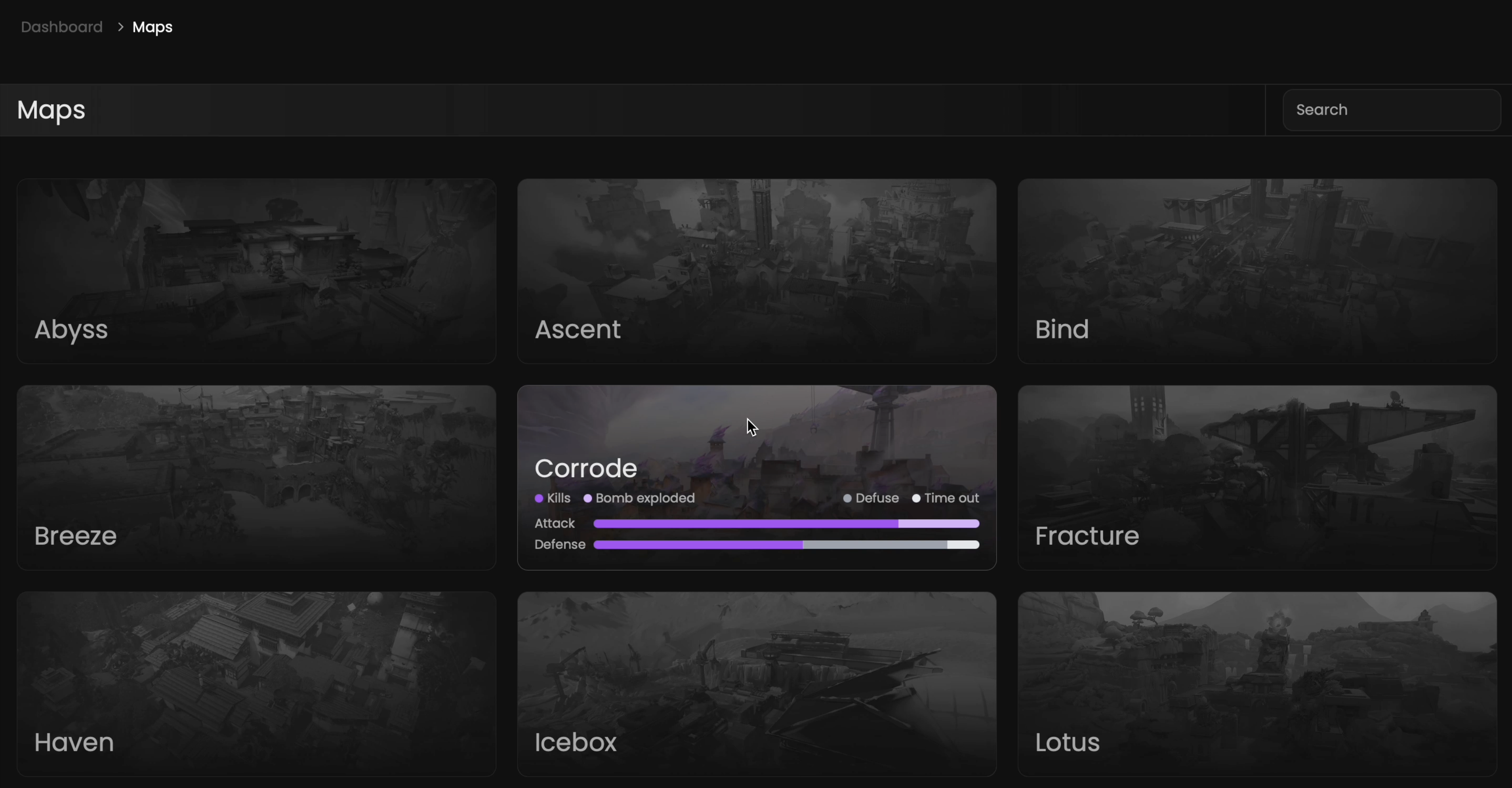
You will find all maps detected by our system.
## Preview
 ## Available statistics
* `Winning factors for attack & defense sides for each map`
## Available filters
* `Map name`
## Available statistics
* `Winning factors for attack & defense sides for each map`
## Available filters
* `Map name`